---
title: "วิธีการติดตั้ง Ubuntu Version Pro แบบฟรี"
description: "วิธีขอและเปิดใช้ Ubuntu Pro ฟรีสำหรับ personal use สูงสุด 5 เครื่อง ได้อัปเดตความปลอดภัยยาว 10 ปี"
canonical_url: "https://iamthana.com/blogs/2025-04-15-ubuntu-pro"
---
> Index of every page on this site: [llms.txt](https://iamthana.com/llms.txt)
หลายคนอาจเคยเห็นว่า Ubuntu มีเวอร์ชัน Pro ให้ใช้งาน ไม่ว่าจะในหน้าจอติดตั้งระบบ หรือเป็นหน้าต่างแจ้งเตือนเมื่อเข้าสู่ระบบปฏิบัติการแล้ว
ทาง Ubuntu เปิดให้ใช้งานเวอร์ชัน Pro ได้ฟรี สำหรับผู้ใช้แบบส่วนตัวสูงสุด `5 active machines` และสำหรับสมาชิก Ubuntu community สูงสุด `50 active machines`
## ความแตกต่างหลักระหว่าง Ubuntu ปกติ และ Ubuntu Pro
|
คุณสมบัติ
|
Ubuntu ปกติ
|
Ubuntu Pro (ฟรี)
|
|
ระยะเวลารับอัปเดต
|
5 ปี
|
10 ปี
|
|
Livepatch
|
-
|
✓
|
|
การ hardening ระบบ
|
-
|
✓
|
|
จำนวนเครื่องที่รองรับ
|
ไม่จำกัด
|
5 เครื่อง (ส่วนตัว)
|
> สามารถอ่านเพิ่มเติมได้ที่ [https://ubuntu.com/pricing/pro](https://ubuntu.com/pricing/pro) ตรง Ubuntu Pro for personal users
## ขั้นตอนการกดรับ License
1. สมัคร account ที่ [https://ubuntu.com](https://ubuntu.com) ให้เรียบร้อยจากนั้นไปที่หน้า [https://ubuntu.com/pro](https://ubuntu.com/pro)
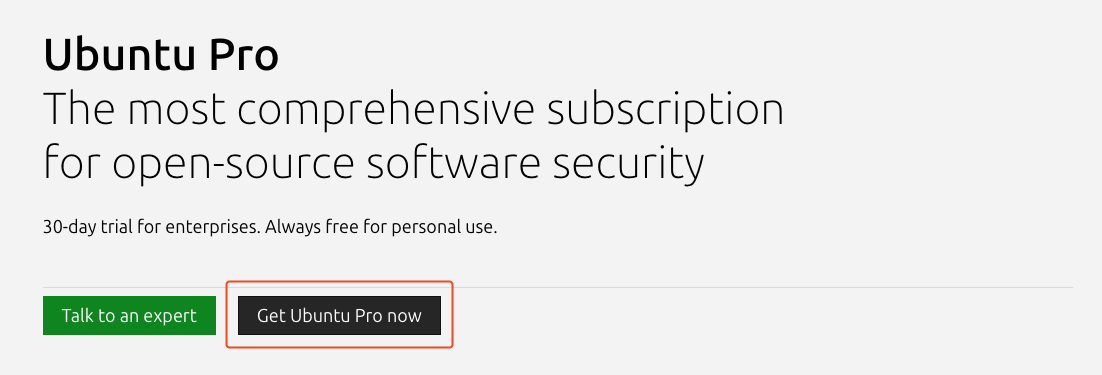
แล้วกดที่ปุ่ม "Get Ubuntu Pro now" ได้เลยครับ
1. จากนั้นเลือกเป็น "Myself" ได้เลยครับ จะเป็นการกดรับ license free กด continue to card ได้เลย
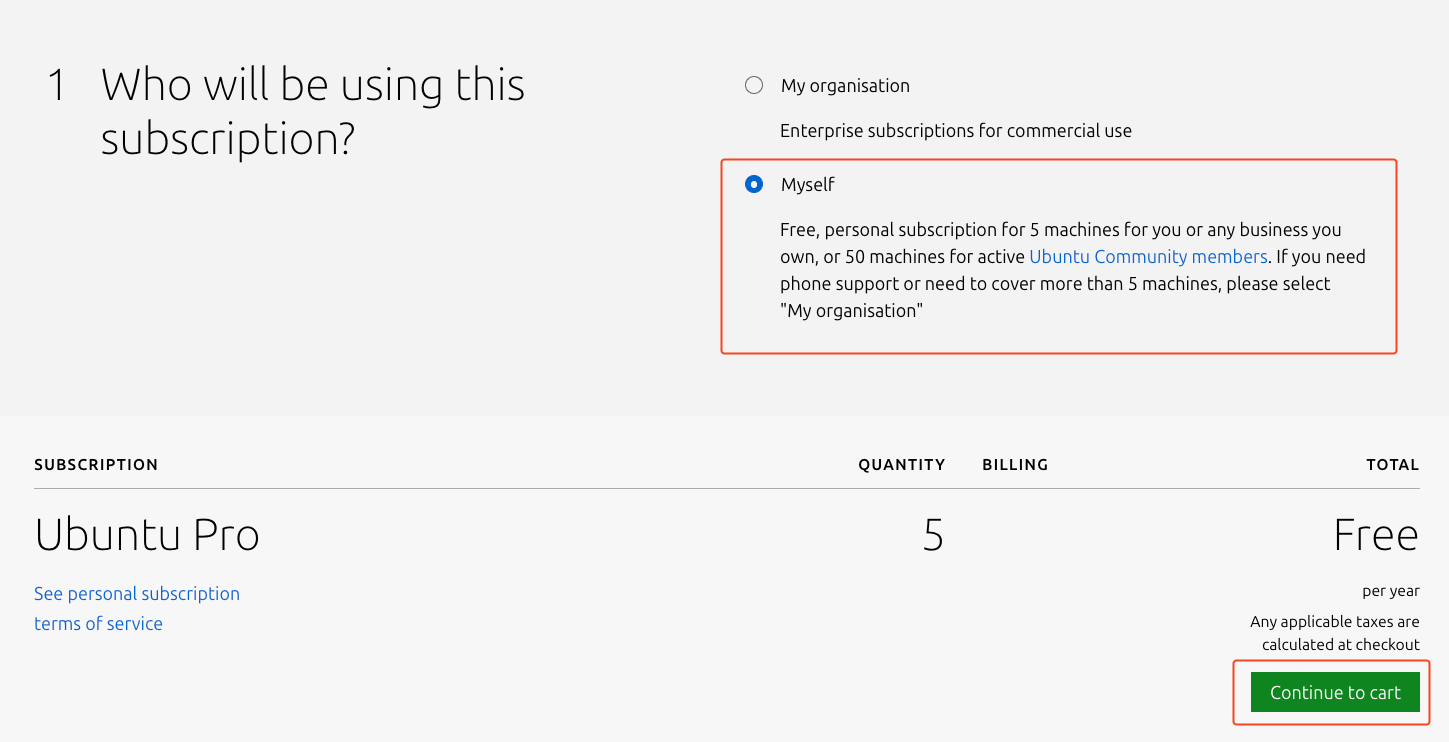
1. เมื่อเสร็จสิ้นขั้นตอนให้ไปยัง [https://ubuntu.com/pro/dashboard](https://ubuntu.com/pro/dashboard) ตรงเมนู "Your subscriptions" จะเจอกับ Token ซึ่งสามารถนำไปใช้งานได้เลยครับ
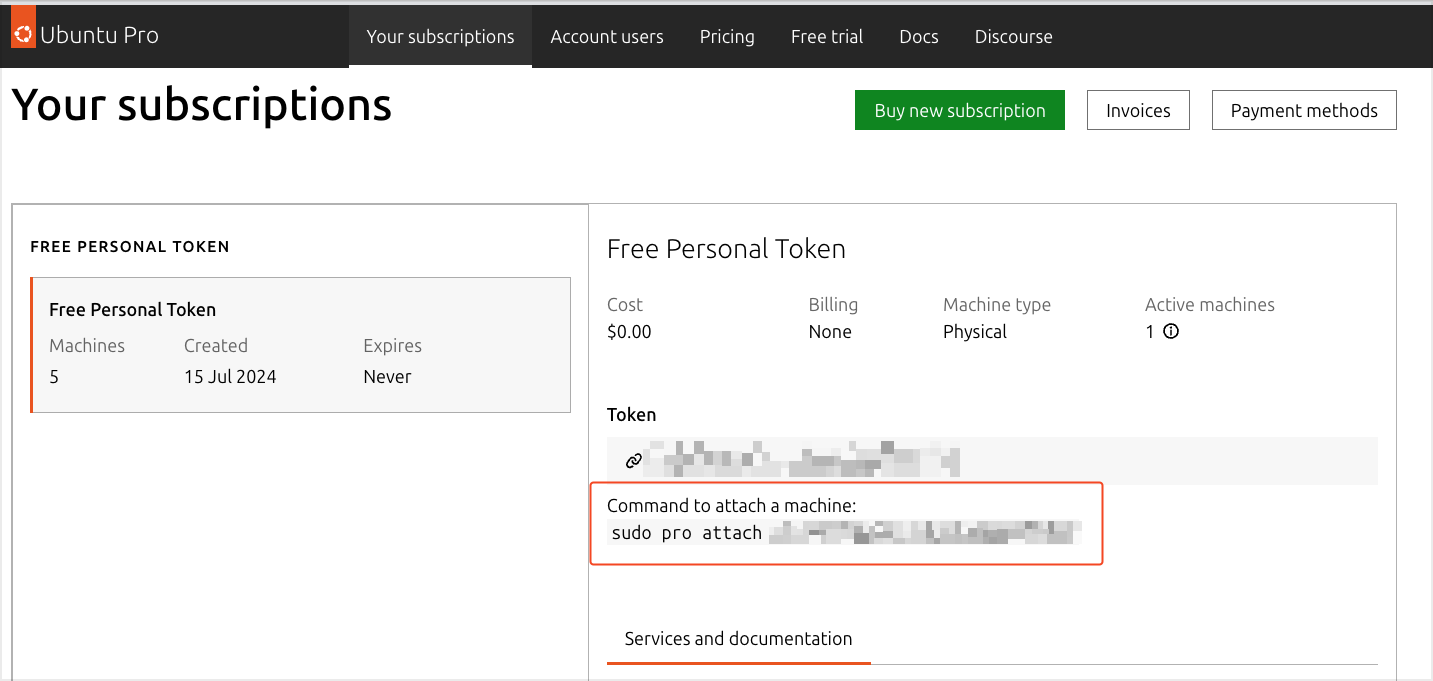
หากเป็นการติดตั้งระบบปฏิบัติการใหม่ สามารถกรอก Token ได้ในขั้นตอนติดตั้ง แต่หากติดตั้ง Ubuntu ไปแล้ว สามารถใช้คำสั่ง `sudo pro attach ` เพื่อเปิดใช้งาน License ได้เลย
---
## แหล่งข้อมูลเพิ่มเติม
- [Ubuntu Pro for Personal Use](https://ubuntu.com/legal/ubuntu-pro/personal)
- [Ubuntu Pro Pricing](https://ubuntu.com/pricing/pro)
## Sitemap
See the full [sitemap](https://iamthana.com/sitemap.md) for all pages.